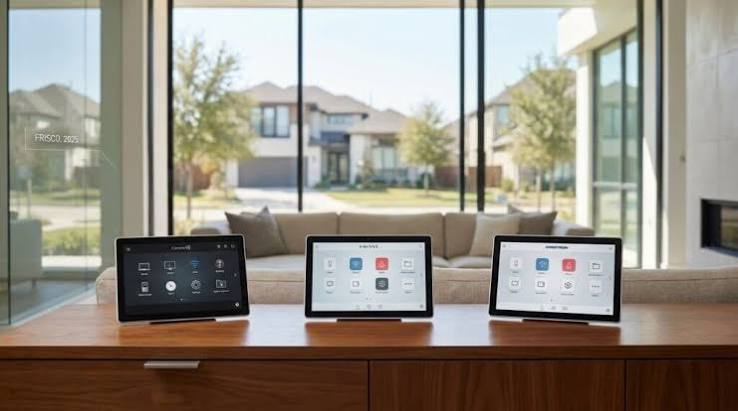

Search for Control4 pricing and you will find estimates ranging from $2,500 to $350,000, which is not a range so much as an admission that nobody wants to answer the question. The confusion is not accidental. Control4 sells exclusively through certified dealers, prices are quoted per project, and the hardware is often the smallest line on the invoice. A Control4 system is a genuinely strong platform, and it is also the wrong purchase for a lot of the people who ask about it, so here is the version with actual numbers.
Key Takeaways
- Real project bands run roughly $5,000 to $15,000 for entry systems, $15,000 to $50,000 for mid size whole home automation, and past $100,000 for estates. Hardware is usually under half of that.
- Control4 Connect became mandatory for all new US systems on April 23, 2024. It costs $0, $99, or $249 per year depending on which controller you have.
- Control4 Assist, the optional remote support tier, runs $899 per year.
- Ownership has changed twice in six years. SnapAV merged with Control4 in 2019, and Resideo acquired Snap One in 2024, with the brand now sitting under ADI.
- You cannot buy or program Control4 yourself. Choosing the platform means choosing a dealer, and the dealer matters more than the platform does.
What a Control4 System Actually Costs
Published estimates disagree wildly because they are describing different things. Here is how projects tend to actually land.
| Scope | Typical range | What is in it |
| Single room or condo starter | $3,000 to $8,000 | One controller, a few dimmers or keypads, basic AV control, light programming |
| Focused system | $10,000 to $25,000 | Lighting control in main spaces, distributed audio in two or three zones, app control, small rack |
| Mid size whole home | $25,000 to $75,000 | Structured lighting, multi room audio and video, shades, security integration, several interface points |
| Large home or estate | $100,000 and up | Dedicated theater, extensive AV distribution, complex programming layers, expanded rack infrastructure |
The number that surprises people is the split. In the quotes we review for clients, hardware often accounts for 40% to 50% of the total. The rest is cabling, rack build, network design, programming hours, and commissioning.
That ratio is why two dealers can quote the same house $28,000 and $52,000 without either one lying. They are proposing different amounts of engineering.
The Cost Driver Nobody Warns You About
Interface density. Every keypad, touchscreen, and control point adds hardware, a wall box, a cable pull, and programming time. Homeowners who ask for a keypad in every room routinely add 20% to a project without adding a single new capability.
Decide where you will actually touch something. In most homes that is entries, the kitchen, the primary bedroom, and the media room. Everywhere else, voice and the app cover it.
The Subscription Situation, Explained Properly
This is the part that generates the most confusion, so here it is in order.
Before April 2024, Control4 sold an optional add on called 4Sight for remote access, roughly $100 per year. On April 23, 2024, Snap One replaced it with Control4 Connect and made it mandatory for every new US installation. Trade coverage at the time documented the rollout and the dealer pushback that came with it.
Connect pricing depends on your controller. Systems running only a CA-1 pay nothing. Core Lite only systems pay $99 per year. Everything else pays $249 per year. Control4 Assist, the optional tier that gets you remote support from Control4’s own team rather than your local dealer, adds $899 per year.
Here is the nuance that most articles get wrong. Your hardware and local programming keep working without Connect. Keypads still fire scenes, the lights still respond, the system does not brick. What you lose is the mobile app, remote access, and ongoing software updates. That distinction matters if you are evaluating long term cost.
Systems installed before April 23, 2024 can stay on 4Sight and renew it.
Budget $249 a year and treat it as part of ownership, the same way you treat a security monitoring fee. What you should not do is discover it at handover.
Ownership Has Changed Twice, and It Shows
Control4 was an independent public company until SnapAV merged with it in 2019. Snap One went public, then Resideo acquired Snap One in 2024, and the brand now sits under ADI.
Corporate history is usually irrelevant to a buying decision. Here it is not, because the business model shifted with each change. The mandatory Connect subscription and the move toward direct manufacturer support relationships both arrived under Snap One, and both changed what ownership costs.
The platform itself has kept developing. Snap One introduced Control4 X4, a redesigned interface replacing the OS 3 app, with reworked navigation and personalization. Matter device support has also been rolling in through recent OS releases, though as with every platform in 2026, supported device classes trail the published specification. Ask your dealer what is supported today rather than trusting a logo on a box.
The Dealer Matters More Than the Platform
This is the single most useful thing anyone can tell you about a Control4 system.
Control4 is dealer only by design. You cannot buy the controllers retail, you cannot get Composer Pro, and you cannot reprogram your own house. Every change goes through a certified integrator.
That is a real constraint and also the reason the platform is reliable. Professional programming beats consumer plug and play at scale. But it means you are entering a long relationship with a local business, and the systems we get called in to fix are almost never broken hardware. They are systems programmed by someone who left the industry, or who never documented anything, or who built everything around one custom driver nobody else can read.
Three questions to ask any dealer before signing:
Ask who owns the programming files and whether you get a copy of the project backup. The answer should be yes, without hesitation.
Ask what happens if you call in two years with a change request, and what the hourly rate is. Get it in writing.
Ask how many active Control4 systems they support and how long they have been certified. A dealer with 15 systems and a dealer with 400 are different risk profiles.
Integrators who design a control4 system as their primary business will answer all three without flinching. If someone gets vague on the backup question, walk.
Vetting matters more in dense markets where the dealer pool is large and uneven. Firms doing smart home automation nyc work range from two person shops to full engineering teams, and the price difference between them is often smaller than the difference in what you actually receive.
When You Should Not Buy Control4
Here is the honest part.
If your budget is under $10,000. You will get a compromised version of the platform. A good mesh network, Lutron Caseta for lighting, and Sonos for audio will serve you better at that number and cost far less to maintain.
If you only care about lighting and shades. Buy Lutron directly. It is the best in class for that job, Control4 integrates with it anyway, and you can add control later without redoing anything.
If you like tinkering. Home Assistant is free, runs locally, supports almost everything, and gives you total control. It also demands genuine time and patience. If that sounds fun rather than exhausting, you are not a Control4 customer.
If you are renting or moving within two years. Control4 is infrastructure. It does not move with you, and the resale value on used gear is poor.
Where Control4 earns its price is the case people underrate: a large house where lighting, shades, climate, security, audio, and video all need to behave as one system, run reliably for a decade, and be usable by guests and family members who have no interest in how it works. That is a real problem and a Control4 system solves it well.
How It Compares
| Platform | Install model | Typical entry | Best at | Watch out for |
| Control4 | Dealer only | $5,000 to $15,000 | Broad device support, mature drivers, large dealer network | Mandatory subscription, no self service |
| Savant | Dealer only | $8,000 to $20,000 | Interface design, Apple leaning households, energy features | Smaller dealer base in many markets |
| Crestron Home | Dealer only | $15,000 to $30,000 | Very large and complex projects, commercial crossover | Cost, and overkill for normal houses |
| Lutron alone | Dealer or retail | $500 to $10,000 | Lighting and shades, full stop | Not a whole home control platform |
| Home Assistant | Self install | Under $500 | Flexibility, local control, cost | Your time is the real price |
Before You Sign: A Buyer Checklist
- Confirm the Connect tier your proposed controller falls under and add it to your annual budget.
- Ask for the quote broken into hardware, cabling and infrastructure, programming hours, and commissioning.
- Get the interface count in writing and remove any keypad you cannot picture yourself using weekly.
- Confirm you receive a project backup file at handover and ask where it is stored.
- Ask what the network plan is. If the proposal does not include managed switches and a real access point layout, it is incomplete.
- Ask which parts of the system keep working with no internet. Lighting and climate should. Verify it.
- Ask for two client references with systems older than three years, not two months.
The Practical Way to Decide
Do not start with the platform. Start with the list of things that annoy you about your house, ordered by how often they annoy you.
If that list is mostly lighting, buy lighting. If it is mostly one media room, buy one media room. If it genuinely spans six subsystems across a large home and you want one interface for all of it that still works in year eight, a Control4 system is a defensible purchase, and the dealer you pick will determine whether it stays that way.
Frequently Asked Questions
How much does a Control4 system cost?
Entry level systems generally run $5,000 to $15,000, mid size whole home automation lands between $15,000 and $50,000, and large estate projects exceed $100,000. Hardware is typically under half the total, with cabling, network infrastructure, and programming hours making up the rest. Any quote that does not break those out separately is worth questioning.
Does Control4 require a monthly or annual subscription?
Yes, for systems installed in the US after April 23, 2024. Control4 Connect is mandatory and costs $0 per year for CA-1 only systems, $99 for Core Lite only systems, and $249 for everything else. Local control and keypads continue working without it, but you lose the mobile app, remote access, and software updates.
Can I install or program Control4 myself?
No. Control4 is sold and programmed exclusively through certified dealers, and the programming software is not available to homeowners. If self installation and self service matter to you, Home Assistant or a mix of Lutron and consumer devices will suit you far better.
Does Control4 work with Matter, Alexa, and Google Assistant?
It integrates with Alexa and Google Assistant for voice control, and Matter device support has been arriving through recent OS releases. As with every platform right now, supported Matter device types lag the published specification, so confirm your specific devices with your dealer rather than assuming certification means full support.
What happens to my Control4 system if my dealer goes out of business?
The system keeps running, but you will need another certified dealer to make changes, and that transition is much easier if you hold a copy of your project backup file. Ask for it at handover. Systems without documentation frequently need to be partially reprogrammed, which is an avoidable expense.
Author Bio (for host site)
Karen Avila works with Nex AV, a New York based integration firm handling lighting control, home theater, networking, and whole home automation across residential and commercial projects. A large share of his week is spent taking over systems installed by someone else, which shapes most of the advice above